NegScan AI
Nikon Coolscan · LS-30 to LS-9000

Your Coolscan, back at work.

Nikon Scan is long gone, and it was never made for 64-bit Windows 11 or today's Macs. NegScan AI drives every Coolscan directly, from the Coolscan III to the Super Coolscan 9000 ED, and does more with it than Nikon's own software ever did: higher resolution along the film, multi-sampling on models that never had it, stitched panoramas, and AI that develops each frame by itself.

Windows 10 and 11, and Linux: every Coolscan · macOS 13 and later: LS-40, LS-50, LS-5000 · macOS 13–15: FireWire models (untested) · 7-day trial with every feature · $129 once

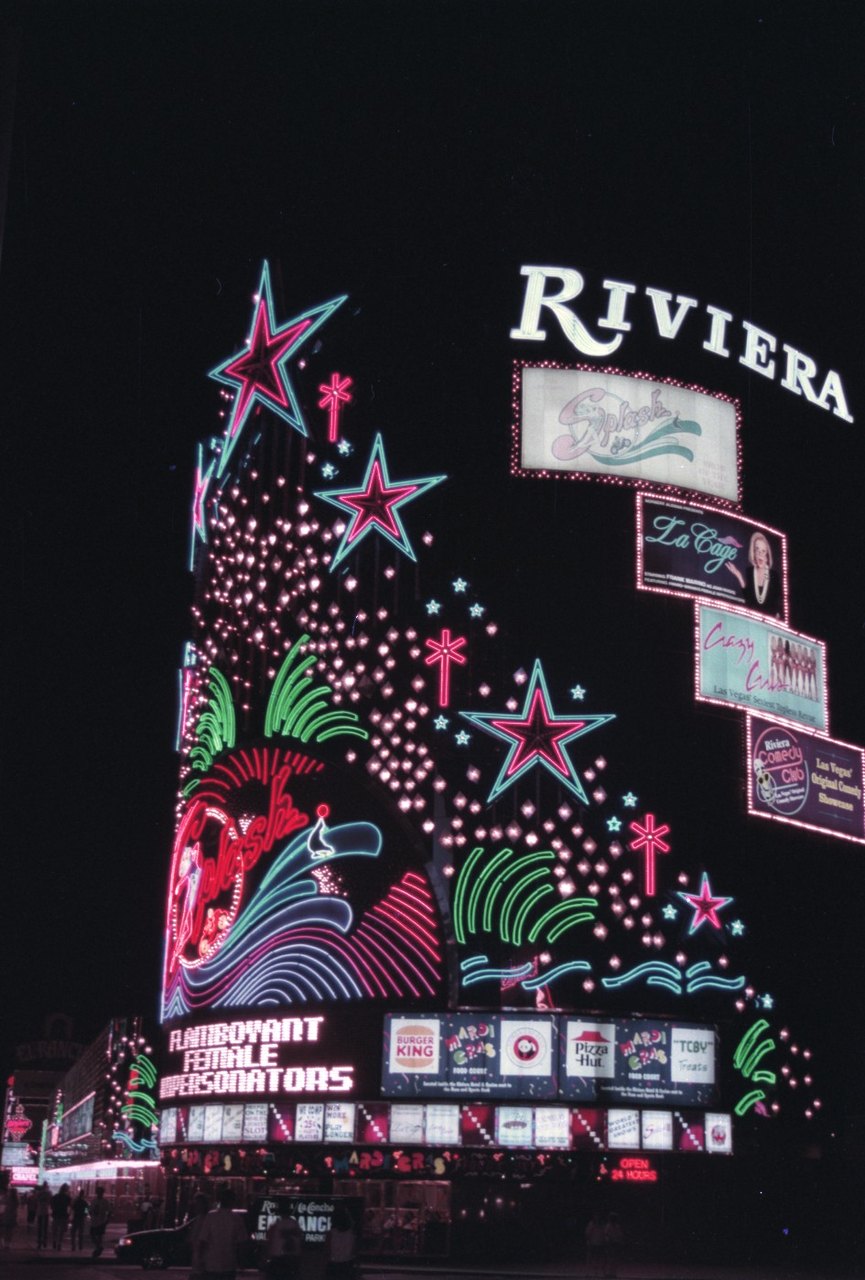
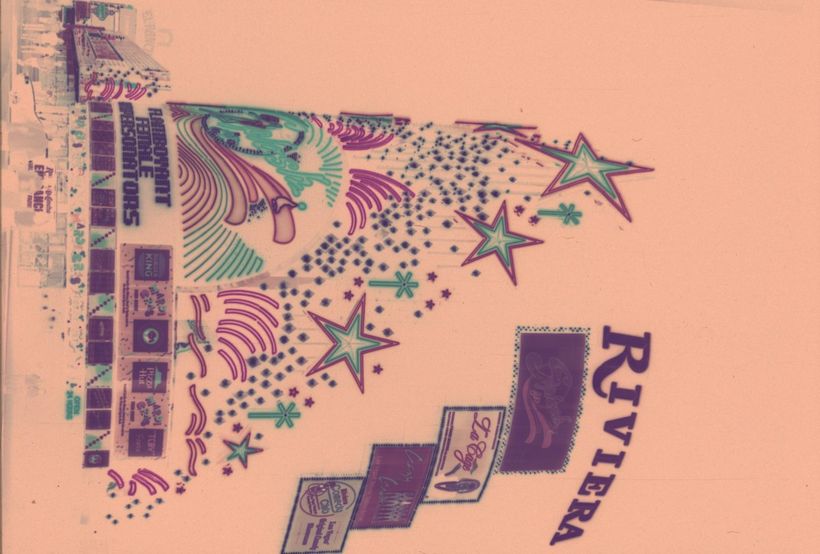
Neon signs in Las Vegas at night, developed from a colour negative The same frame as a colour negative
As scanned → as developedFujicolor NPH 400, developed automatically. Copyrighted by Tien-Tsin Wong (BlueNeg dataset).
What your Coolscan gains

Taken further than Nikon Scan ever did

NegScan AI talks to the scanner itself, with no Nikon Scan or other scanning program in between. Because it controls the scanner at that level, it can do things the original software never offered.

Up to 8000 dpi along the film

Sub-line super-resolution scans each frame twice, the second time half a line further along, and interleaves the two: 5400 dpi from an LS-2000, 5800 from an LS-40, 8000 from an LS-50 or LS-4000. The extra samples are real measurements.

LS-2000 · LS-40 · LS-50 · LS-4000

Multi-sampling on every model

The LS-2000, 4000, 5000, 8000 and 9000 do it in the scanner. The LS-30, LS-40 and LS-50 can't, so NegScan AI scans several passes, aligns them to a fraction of a pixel and averages them for cleaner shadows.

All models

Infrared and AI dust removal, together

On colour film the infrared channel shows only dust and scratches, and those are removed: the Digital ICE principle. Silver black-and-white film and Kodachrome block infrared, so there the AI detector takes over by itself. On any frame, Find hairs and Triage catch the last few.

All models

Panoramas, stitched

XPan and TX-1 frames, 35 mm from 6×9 and 6×12 backs, or any length: scanned in overlapping tiles, each seam lined up on the picture to a fraction of a pixel, and blended into one raw scan.

SA-20 · SA-21

Half-frame and uneven rolls

Every frame is placed freely along the strip, so a half-frame roll scans as twelve frames where the scanner expects six, and frames shot with uneven spacing are found where they really are.

LS-40 · LS-50 · LS-4000

Multi-exposure for dense film

A second, longer scan is merged in for clean shadows in dense slides and Kodachrome, with no change to the highlights. It combines with multi-sampling.

All models

Developed by AI, not by you

The scan goes straight into NegScan AI's conversion: the frame is found and cropped, turned upright and colour-balanced for the film stock, with no curves to drag. Every setting stays yours to change.

Every scan

Streak-free, full-depth scans

Exposure is balanced per colour on the film base, so the blue channel isn't wasted behind the orange mask, and flat-field refinement removes the faint lines a tired calibration leaves. 16-bit linear files keep the infrared channel.

All models · refinement LS-40, LS-2000

Careful with your scanner

Before it changes any calibration, NegScan AI backs up the scanner's state. It only writes to the scanner's working memory, never its firmware or flash, and puts back what it changed. A diagnostics report reads the calibration and error log.

Backups · diagnostics
Every Coolscan

Find your model

Each page lists what NegScan AI does on that scanner and how to connect it.

ScannerConnects byWorks onNativeWith super-resolutionMulti-sampling
LS-30 Coolscan IIISCSIWindows, Linux2700 dpi—Added by NegScan AI: 2-8 aligned passes
LS-2000 Super Coolscan 2000SCSIWindows, Linux2700 dpi5400 dpiIn the scanner, up to 16x
LS-40 Coolscan IV EDUSBWindows, Linux, Mac2900 dpi5800 dpiAdded by NegScan AI: 2-8 aligned passes
LS-50 Coolscan V EDUSBWindows, Linux, Mac4000 dpi8000 dpiAdded by NegScan AI: 2-8 aligned passes
LS-4000 Super Coolscan 4000 EDFireWireWindows, Linux; Mac on macOS 13–15 (untested)4000 dpi8000 dpiIn the scanner, up to 16x
LS-5000 Super Coolscan 5000 EDUSBWindows, Linux, Mac4000 dpi—In the scanner, up to 16x
LS-8000 Super Coolscan 8000 EDFireWireWindows, Linux; Mac on macOS 13–15 (untested)4000 dpi—In the scanner, up to 16x
LS-9000 Super Coolscan 9000 EDFireWireWindows, Linux; Mac on macOS 13–15 (untested)4000 dpi—In the scanner, up to 16x
Compared

NegScan AI, VueScan, SilverFast and Nikon Scan

VueScan and SilverFast are the programs most Coolscan owners use today, and both are good scanner programs. Nikon Scan was the original; it hasn't been developed for many years. Here is what each offers a Coolscan owner.

NegScan AIVueScan ProfessionalSilverFast 9 SE Plus / Ai StudioNikon Scan 4
Current WindowsYes, every CoolscanYesYesNot supported by Nikon
Current macOSYes, USB models; FireWire models on macOS 13–15 (untested)YesYesNot supported by Nikon
LicenseOne license, every scannerOne license, every scannerOne license per scanner modelCame with the scanner
Infrared dust removalYesInfrared CleaniSRDDigital ICE
Dust removal on B&W silver film and KodachromeYes, AI detectorNot advertisedNot advertisedNo
Multi-sampling on the LS-30, LS-40, LS-50Passes aligned to a fraction of a pixelRepeated passes, averagedNot advertisedNo
Multi-exposure for dense filmYesYesMulti-ExposureNo
Resolution beyond the native along the filmUp to 8000 dpiNot advertisedNot advertisedNo
Stitched panoramic framesYesNot advertisedNot advertisedNo
Half-frame rollsYesNot advertisedNot advertisedNo
Negative conversionAI, per film stock, automaticFilm-type profilesNegaFix profilesFilm-type presets
Colour calibration from targetsIT8, ColorChecker, grey scale and step wedge, found in your frames by itselfIT8 profilingIT8 calibration (Ai Studio)Not advertised
Also drives a camera for scanningYesNoNoNo
Library, archive and backupBuilt inNoSeparate productsNo
Price$129 once$229.95 once$99 to $349 per scannerDiscontinued

Compiled on 23 November 2026 from each maker's published information and user reports. “Not advertised” means we found no mention of it; it may exist, so check with each maker, and tell us if something here is out of date. VueScan needs its Professional edition for film. For how NegScan AI compares with film converters as well, see the full comparison. The product names are trademarks of their owners.

Questions

Coolscan questions

Does a Nikon Coolscan work on Windows 11?

Yes. NegScan AI drives every Coolscan from the LS-30 to the LS-9000 directly on 64-bit Windows 10 and 11, without Nikon Scan. USB models use Nikon's driver or WinUSB, and on some PCs need a USB 2.0 hub between them and a USB 3 port; SCSI models a SCSI card or USB adapter; FireWire models a FireWire card.

Does a Nikon Coolscan work on a Mac?

The USB models do: the LS-40 (Coolscan IV ED), LS-50 (Coolscan V ED) and LS-5000 (Super Coolscan 5000 ED) work with NegScan AI on macOS 13 and later, on Apple Silicon and Intel Macs. The FireWire models (LS-4000, LS-8000, LS-9000) should work on macOS 13 to 15 through a FireWire port or Apple's Thunderbolt adapters, but are untested there; macOS 26 removed FireWire. The SCSI models need Windows or Linux.

Does a Nikon Coolscan work on Linux?

Yes, every model from the LS-30 to the LS-9000. NegScan AI drives them directly on 64-bit Linux: the USB models through the kernel's USB device files, the SCSI models on a SCSI card and the FireWire models on a FireWire card through the SCSI generic driver, all without root once NegScan AI's device rule is installed. No SANE backend or Nikon software is needed.

How does NegScan AI compare with VueScan and SilverFast for a Coolscan?

All three drive the Coolscans on current Windows and macOS with infrared dust removal and multi-exposure. NegScan AI adds what we found neither advertising: up to 8000 dpi along the film on four models, stitched panoramic frames, half-frame rolls, multi-sampling with passes aligned to a fraction of a pixel on the LS-30, LS-40 and LS-50, AI dust removal for black-and-white film and Kodachrome, and automatic AI conversion. One NegScan AI license covers every scanner; SilverFast is licensed per scanner model.

Do I need Nikon Scan?

No. NegScan AI talks to the scanner itself. Close Nikon Scan and VueScan before scanning: only one program can use the scanner at a time.

Does Digital ICE dust removal work?

Yes. NegScan AI reads the scanner's infrared channel on every Coolscan and removes the dust and scratches it shows. On silver black-and-white film and Kodachrome, where infrared can't work, its AI dust detector takes over.

Can a Coolscan scan above its rated resolution?

Four models can, along the film: NegScan AI's sub-line super-resolution scans each frame twice, half a line apart, giving 5400 dpi on the LS-2000, 5800 on the LS-40 and 8000 on the LS-50 and LS-4000. The extra samples are real measurements along the film; across it the sensor is fixed, so that direction is interpolated.

Is it safe for my scanner?

NegScan AI saves a backup of the scanner's state before it changes any calibration, only ever writes to the scanner's working memory (never its firmware or flash), and puts back what it changed.

Can it scan XPan and half-frame film on a Coolscan?

Yes. Panoramic frames (XPan, 6x9 and 6x12 backs on 35 mm, any length) are scanned in overlapping tiles and stitched on the picture itself, with a strip adapter. On the LS-40, LS-50 and LS-4000 frames can be placed freely, so a half-frame roll scans as twelve frames.

Coolscan support is new, so please try it with yours during the 7-day trial and tell us how it goes. Setup for each connection is in the guide.