Frame finder
Finds the picture on the film
Tells picture from film base, rebate, sprocket holes and holder, then crops to the frame. It works on strips, slides and odd formats.
NegScan AI scans your film with a camera or a film scanner and develops every frame by itself. AI models find the frame, turn it upright, balance the colour and clean off the dust, in seconds, on your own PC.
Windows 10 and 11 · 14-day trial with every feature · one payment, no subscription · no account
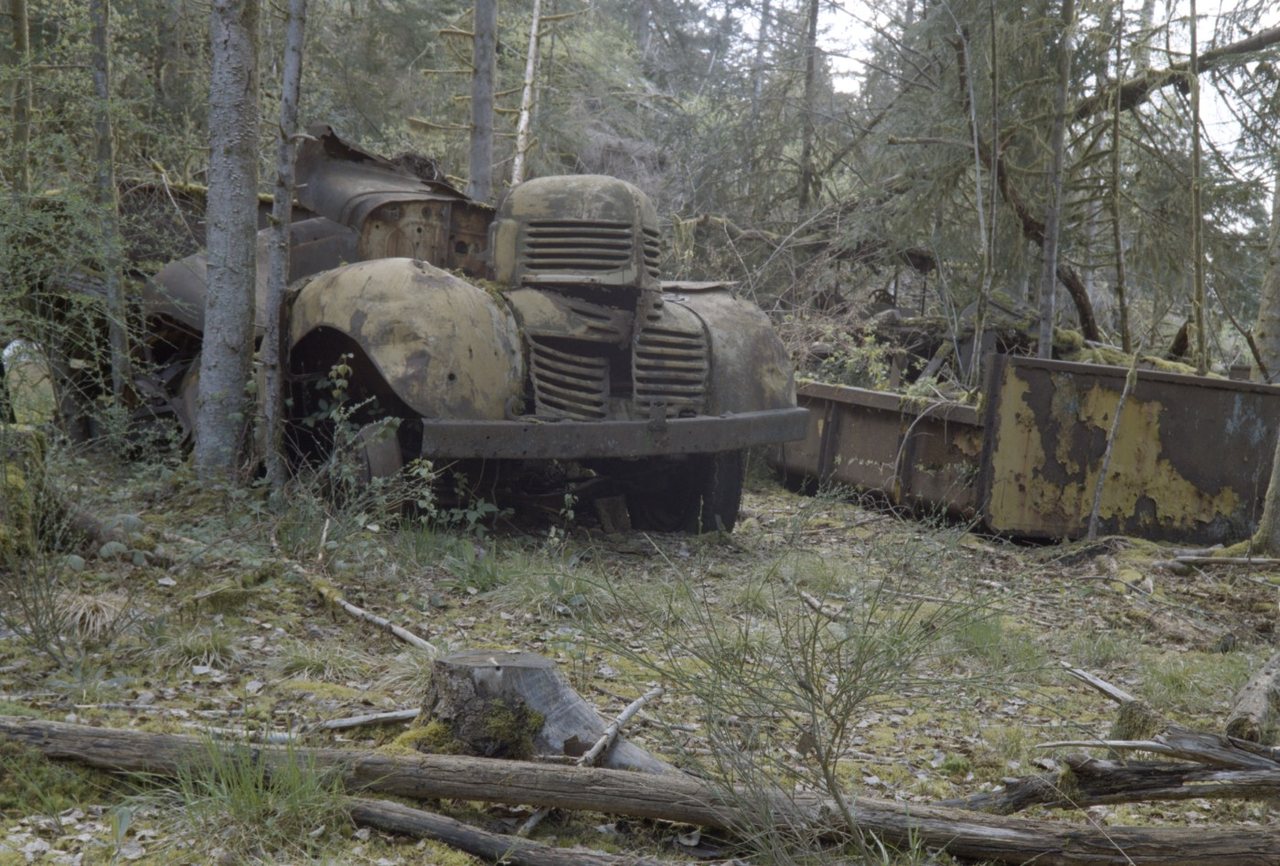
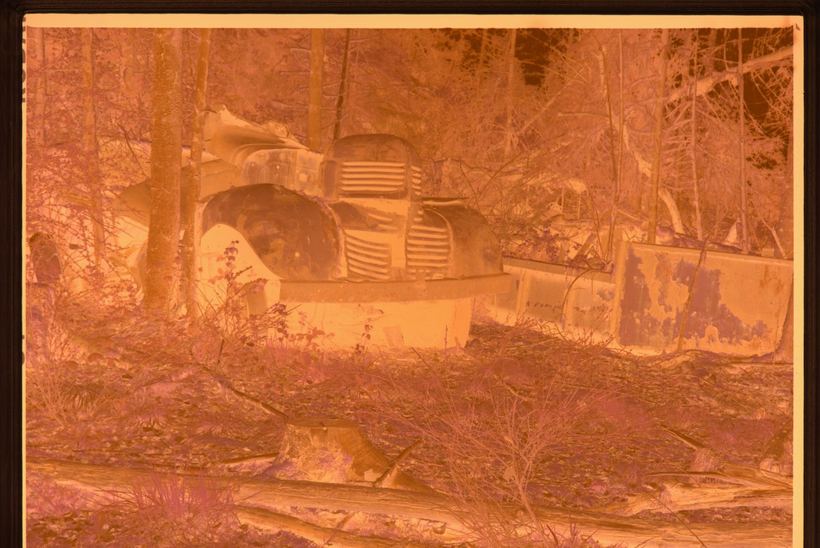
These are real negatives shared by photographers under licences that allow it. Each result is what NegScan AI produced by itself: it found the frame, turned it the right way up, cropped it and balanced the colour. Nobody touched a slider.
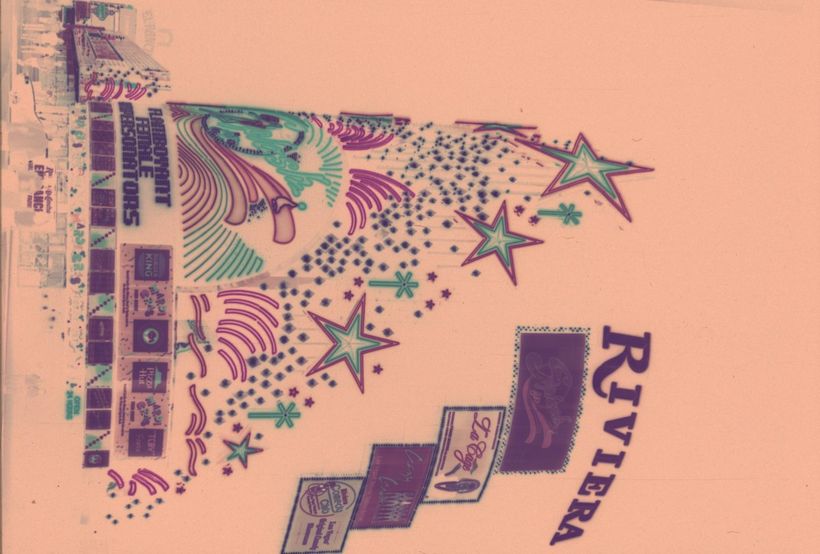
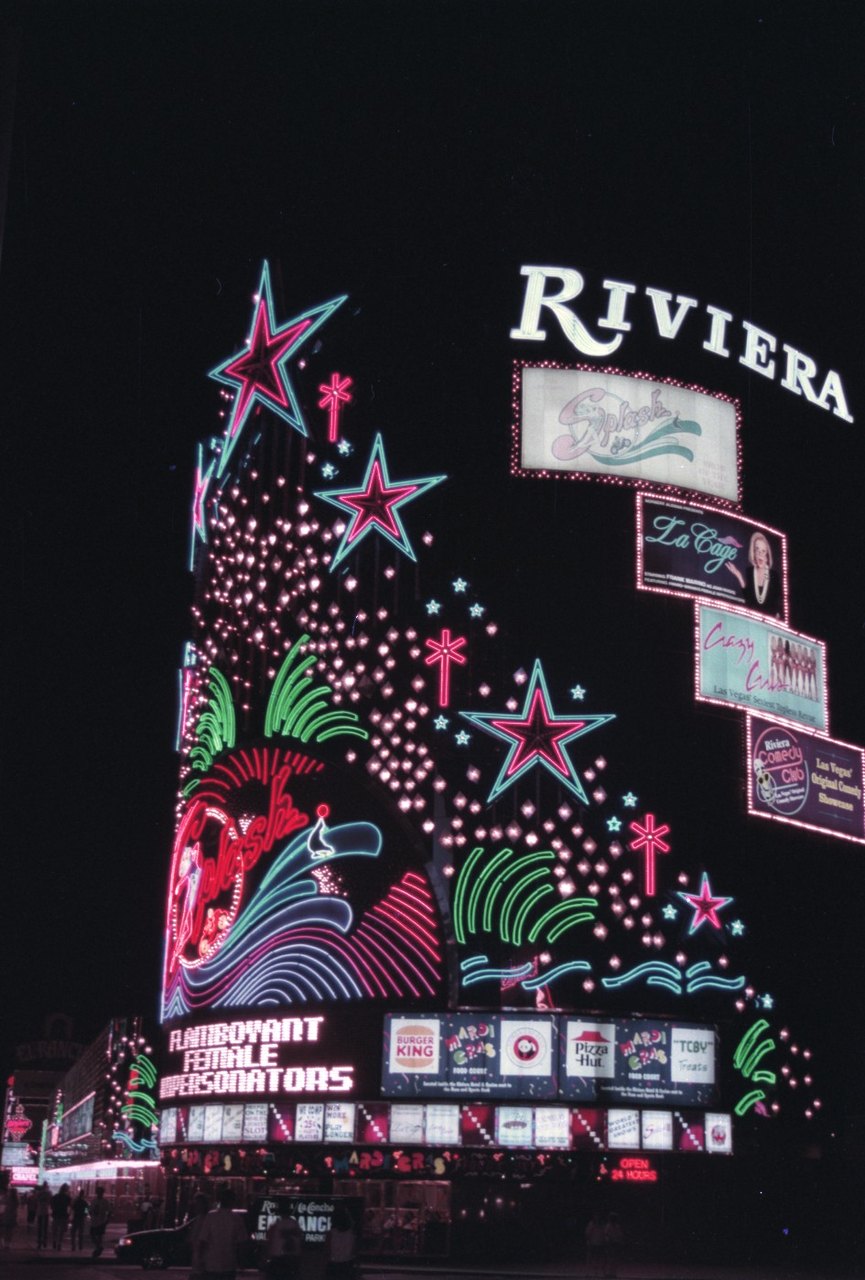
The Las Vegas frame is from the BlueNeg dataset: copyrighted by Tien-Tsin Wong, used with the dataset's permission. The other example pictures and their conversions are licensed CC BY-SA 4.0, from threads on discuss.pixls.us. Thank you to the photographers for sharing their raw scans.
Each one is trained for a single job on film. They run on your graphics card, on your PC. Nothing is uploaded, and it works with no internet connection.
Tells picture from film base, rebate, sprocket holes and holder, then crops to the frame. It works on strips, slides and odd formats.
Sets a neutral balance for each frame once the orange mask is gone. It's the most accurate of the app's balance methods on grey cards.
Portrait or landscape, sideways or upside down: frames arrive in your library the right way up.
Finds dust, hairs and scratches in camera scans and on black-and-white film, where infrared cleaning can't work, and heals them.
Reduce grain takes out the share of grain and noise you choose. Around half keeps a film look; at zero the grain stays as the film recorded it.
Every automatic step can be adjusted or switched off. NegScan AI can also learn your look from one of your own finished edits and apply it to the rest.
for a full-resolution export of one frame on a recent NVIDIA card. A frame's first analysis, dust detection included, takes a few seconds and happens once, as it arrives.
The models are part of the program. Your film never leaves your computer.
With a camera, NegScan AI takes each frame as soon as the film is still and level. You only advance the strip.
No graphics card? Everything still works on the processor, more slowly. Every automatic step can be adjusted or switched off.
The ML tab runs one frame through the whole conversion and shows the result of each stage, with 1:1 detail before and after. Learned stages are marked ML. Switch a stage off or tune it, then apply the settings to a frame, a roll or a film stock.
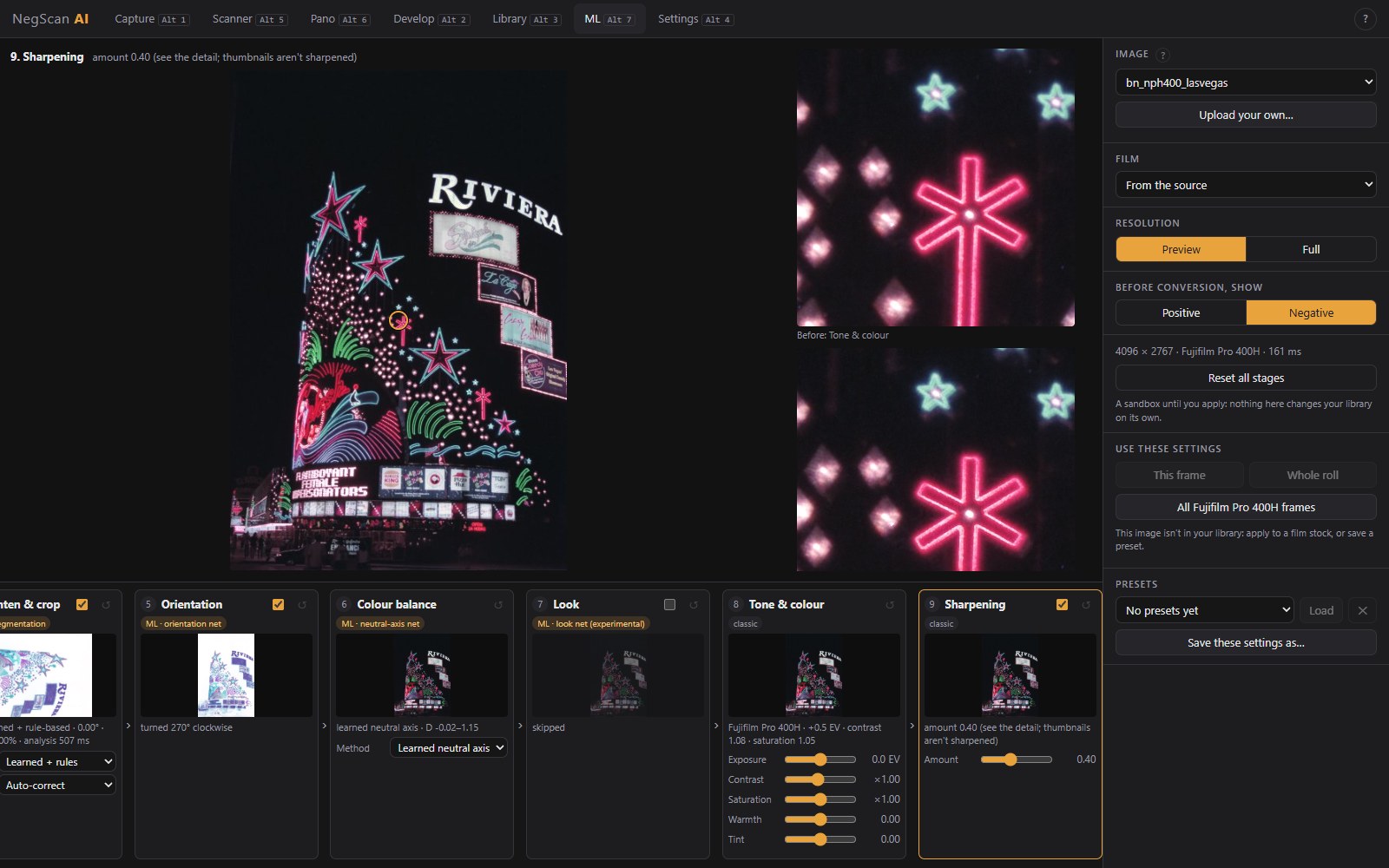
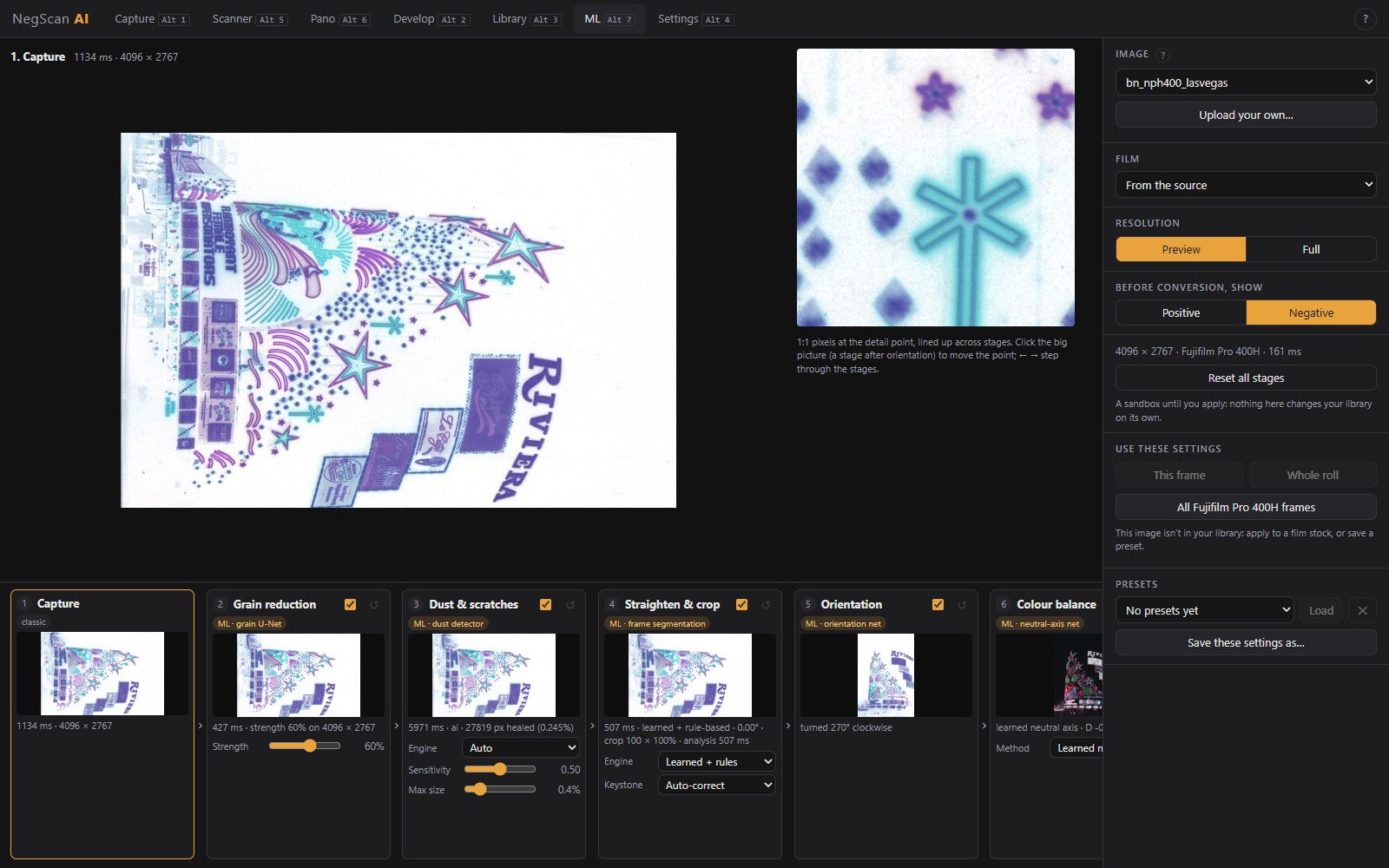
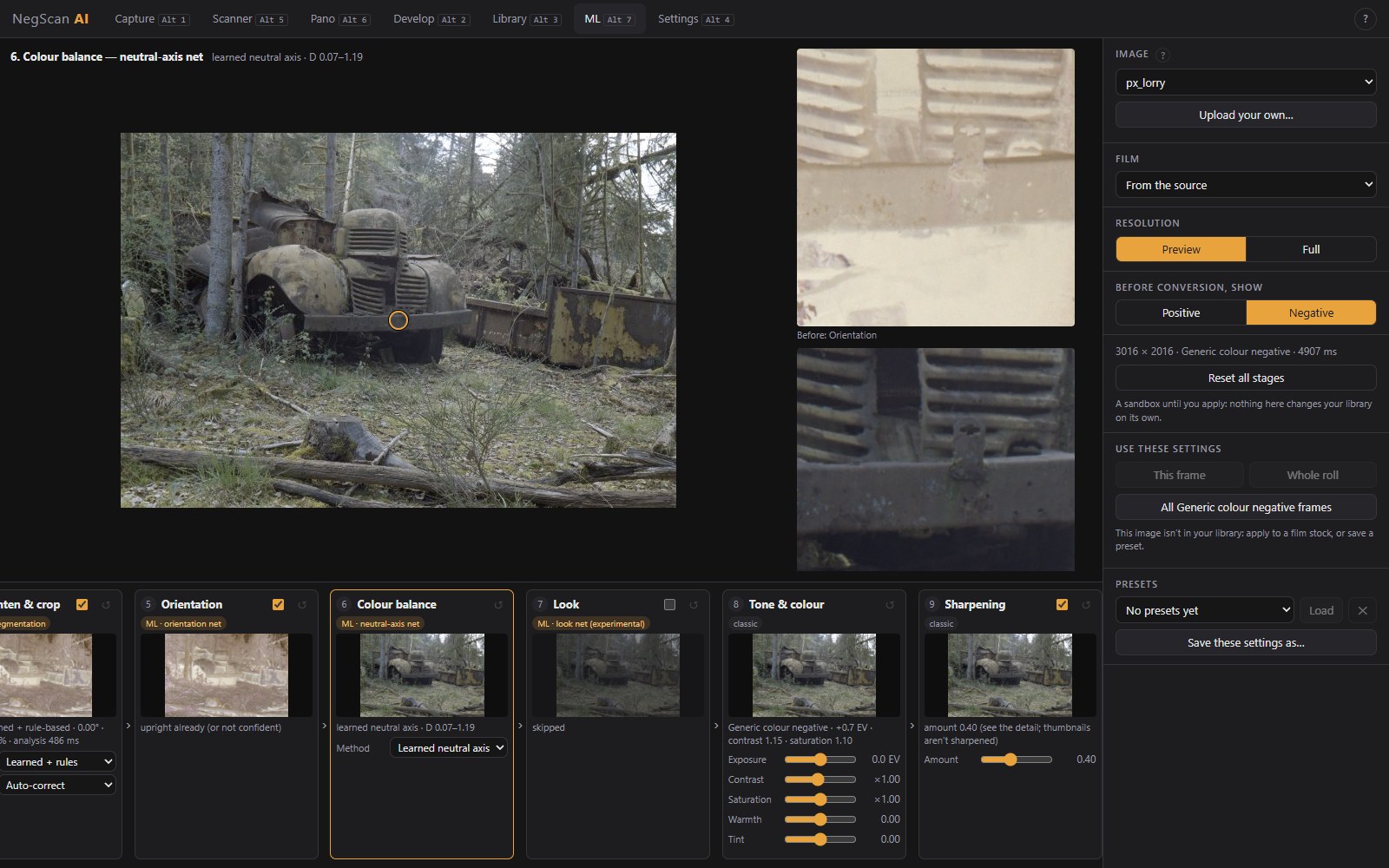
These are screenshots of the app, not mock-ups. Click one to see it full size.
NegScan AI talks to the scanner directly, on current 64-bit Windows, with no Nikon Scan and no other scanning program in between. Because it controls the scanner at that level, it can do things the original software never offered.
XPan and TX-1 frames, 35 mm shot in 6×9 and 6×12 backs, or any length you type. The frame is scanned in overlapping tiles, each seam is aligned on the picture to a fraction of a pixel, and the tiles are blended into one raw scan.
SA-20 · SA-21Place every frame freely along the strip. A half-frame roll scans as twelve frames where the scanner expects six.
LS-40Sub-line super-resolution scans each frame twice, half a line apart, and interleaves the two: 5400 dpi from an LS-2000, 5800 from an LS-40, 8000 from an LS-50 or LS-4000.
LS-2000 · LS-40 · LS-50 · LS-4000The LS-2000, 4000, 5000, 8000 and 9000 do it in the scanner. For the LS-30, LS-40 and LS-50, which can't, NegScan AI scans several passes, aligns them to a fraction of a pixel and averages them.
All modelsA second, longer scan is merged in for cleaner shadows in dense slides and Kodachrome. It combines with multi-sampling.
All modelsRefine the flat field to remove the faint lines a scanner's own calibration can leave. On the LS-40, the black level can be averaged eight times for cleaner deep shadows.
LS-40 · LS-2000The infrared channel shows only dust and scratches, and those are removed. Where infrared can't work, on silver black-and-white film and Kodachrome, the AI detector takes over.
All modelsExposure is balanced per colour on the film base, so the blue channel isn't wasted behind the orange mask. Scans are kept as 16-bit linear files with the infrared channel.
All modelsBefore it changes any calibration, NegScan AI saves a backup of the scanner's state. A diagnostics report measures film positioning and reads the scanner's calibration and error log.
Backups · diagnosticsEvery 35 mm and medium-format Coolscan from the Coolscan III onwards. Four of them scan at twice their native resolution along the film.
| Scanner | Connects by | Native | With super-resolution | Multi-sampling | Model extras |
|---|---|---|---|---|---|
| LS-30 Coolscan III | SCSI | 2700 dpi | — | Added: aligned passes | — |
| LS-2000 Super Coolscan 2000 | SCSI | 2700 dpi | 5400 dpi | In the scanner, up to 16× | Flat-field refinement, calibration read-out |
| LS-40 Coolscan IV ED | USB | 2900 dpi | 5800 dpi | Added: aligned passes | Half-frame and free frame placement, flat-field refinement, black-level averaging, lifetime log |
| LS-50 Coolscan V ED | USB | 4000 dpi | 8000 dpi | Added: aligned passes | Calibration read-out and backup |
| LS-4000 Super Coolscan 4000 ED | FireWire | 4000 dpi | 8000 dpi | In the scanner, up to 16× | Calibration read-out and backup |
| LS-5000 Super Coolscan 5000 ED | USB | 4000 dpi | — | In the scanner, up to 16× | — |
| LS-8000 Super Coolscan 8000 ED | FireWire | 4000 dpi | — | In the scanner, up to 16× | Medium format |
| LS-9000 Super Coolscan 9000 ED | FireWire | 4000 dpi | — | In the scanner, up to 16× | Medium format |
A Coolscan moves its sensor along the film one line at a time. NegScan AI scans the frame, shifts the scan carriage by half a line, and scans it again. The second pass samples the film exactly between the lines of the first, and the two are interleaved into one image with twice as many lines.
The extra samples along the film are real measurements. Across the film the sensor is fixed, so that direction is interpolated to match. How much more detail shows depends on the scanner's lens: it can't add what the optics don't resolve. Scan time doubles.
The shift is made in the scanner's working memory and taken out again after the scan. Nothing is written to its permanent memory. It was worked out on firmware 1.31 (LS-2000), 1.20 (LS-40), 1.02 (LS-50) and 1.10 (LS-4000).
The LS-5000 moves in whole 4000 dpi lines and the LS-8000 and LS-9000 don't allow the shift, so they scan at their native 4000 dpi. Infrared dust removal and multi-exposure work across the range, and panoramic stitching works with the SA-20 and SA-21 strip adapters. Coolscan support is new. It has been tested against Nikon's own firmware running in an emulator, so please try it with your scanner during the trial and tell us how it goes.
NegScan AI has a Model Context Protocol (MCP) server built in. Connect Claude, or any other assistant that speaks MCP, and it can look at your frames and work the app for you, in plain language.
Look through yesterday's roll and give the sharpest frame of each scene four stars.
Frames 12 to 18 look too warm. Compare them with frame 11 and bring them into line.
I shot this roll on a 24–105. Work out the focal length of each frame and correct the lens.
Preview the strip in the Coolscan and scan the frames that aren't blank at full resolution.
Export everything with a heart as 16-bit TIFFs for the lab.
Claude can view each converted frame and each scanner preview, so it judges the picture itself and not only its settings.
Rolls and frames, ratings, tags and notes, the conversion settings, lens correction, exports, and the film scanner: connect, preview, scan.
Claude and the app share one library. Whatever it changes shows up in the app straight away, and you can change it back there.
The assistant can't delete rolls or frames, and it can't touch a scanner's calibration or firmware. Those stay in the app, in your hands.
claude mcp add --transport http negscan http://127.0.0.1:8642/mcpThat's for Claude Code. Claude Desktop and other MCP clients are covered in the guide. The connection is local to your computer: NegScan AI itself uploads nothing, and it refuses MCP requests from web pages. The pictures and details Claude looks at do go to your AI assistant, under its own terms.
Live view and capture for Canon EOS, Sony Alpha, Nikon Z and Fujifilm X/GFX, including Canon's 400 MP High-Res mode.
Epson Perfection V-series, any scanner SANE supports, and film scanners with a TWAIN driver such as Plustek and Pacific Image.
Pick the lens you shot with to correct distortion, fringes and vignetting. It can work out a zoom's focal length from straight lines in the frame, and it calibrates itself from IT8 and ColorChecker targets on the roll.
Rolls, ratings and tags, lossless compression, and verified roll archives with a SHA-256 for every file. Automatic backup to a NAS or an external drive.
16-bit TIFF or JPEG in sRGB, Display P3, Adobe RGB or ProPhoto, sized for print. Your name, copyright, film stock and lens go into EXIF and XMP.
Scan the QR code and your phone becomes a remote on the same Wi-Fi: live view, capture, and a heart for the frames you like.
Hardware marked new is newly supported, so please try it during the trial. The Coolscans have been tested against Nikon's own firmware running in an emulator. The Epson, SANE and TWAIN support has been tested against simulators. None of the scanners has been tested on real hardware yet. If something doesn't work with yours, tell us.
Everything runs on your own PC, the AI models included. Scans, edits and the library never leave it unless you back them up somewhere yourself.
No sign-up and no login. A license key activates each computer once with our license server; nothing about your pictures is involved.
No analytics and no usage data. Without a key the app contacts nothing. With one, it checks in with the license server about once a week, sending the key, an anonymous computer id and the computer's name.
Originals stay as they came from the camera or scanner. Archives are standard tar files with a README, readable without NegScan AI.
Scanner programs drive the scanner and convert. Converters take files you've already captured. NegScan AI does both, and adds a camera, a library and the AI models. It is also the newcomer, and for now it runs on Windows only.
| NegScan AI | VueScan Professional | SilverFast 9 SE Plus / Ai Studio | Negative Lab Pro | FilmLab 3 | SmartConvert | |
|---|---|---|---|---|---|---|
| What it is | Scanning workstation | Scanner program | Scanner program | Lightroom plugin | Converter | Converter |
| Drives film scanners | Yes | Yes | Yes | No | No | No |
| Controls a tethered camera | Yes | No | No | Through Lightroom | Not advertised | Watch folder |
| Converts negatives | Yes | Yes | Yes | Yes | Yes | Yes |
| Runs without other software | Yes | Yes | Yes | Needs Lightroom Classic | Yes | Yes |
| Infrared dust removal | Yes | Yes | Yes (iSRD) | No scanner | No scanner | No scanner |
| AI dust removal without infrared | Yes | Not advertised | Not advertised | Not advertised | Not advertised | Not advertised |
| Multi-sampling and multi-exposure | Yes, on every Coolscan | On scanners that support it | Multi-Exposure | No scanner | No scanner | No scanner |
| Coolscan super-resolution | Yes, four models | Not advertised | Not advertised | No scanner | No scanner | No scanner |
| Stitched panoramic frames on a Coolscan | Yes | Not advertised | Not advertised | No scanner | No scanner | No scanner |
| Works with Claude (MCP) | Yes | Not advertised | Not advertised | Not advertised | Not advertised | Not advertised |
| Runs on | Windows | Windows, Mac, Linux | Windows, Mac | Windows, Mac | Windows, Mac, Linux | Windows, Mac |
| Price | $129 once | $229.95 once | $99 to $349, per scanner | $99 once, plus Lightroom | $7.99 a month or $199.99 once | €199 once |
Compiled on 23 November 2026 from each maker's published information and recent reviews. “Not advertised” means we found no mention of it; it may exist. Prices and features change, so check with each maker, and tell us if something here is out of date. VueScan needs its Professional edition for film. The product names are trademarks of their owners.
The trial has every feature, with nothing held back. When it ends, NegScan AI keeps working: you can still capture, scan, develop and organise your library. The only difference is that exports are limited to 2048 pixels on the long edge until you enter a key.
Already bought it? Paste your key into Settings → License. Lost your key?